Payment Configuration
Category:
Topics in this document:
- Payment Strategy Override
- Navigation Path
- Step 1: Fill in Site Information
- Step 2: Environment Setup and Payment Configuration
- Payment Strategy Override – Core Fields
- Invoice & Numbering Settings
- Optional Integrations
- Step 3: Review Summary
- Permissions
- Best Practices
Payment Strategy Override
This guide walks users through the process of configuring payment strategies for a specific site within the Tridens Business Portal, under the Environment Setup step. These strategies control how customers are billed and how edge cases like overpayments or underpayments are handled.
Navigation Path
- Go to the Tridens Monetization Business Portal.
- Click on Sites in the left sidebar.
- Locate your site and click Edit.
- Complete the Site Information step.
- Click Next to reach Environment Setup.
- Find the Payment Configuration section.
Step 1: Fill in Site Information
Before setting payment strategies, enter basic company and site data:
 Figure 1: Site information page
- Name: Name of the site environment.
- Email: Main point of contact.
- Organization: Company name.
- Address, Phone, Country, City, ZIP: Contact details.
- Site Logo: Optional branding for invoices and UI.
Click Next to proceed to Environment Setup.
Step 2: Environment Setup and Payment Configuration
 Figure 2: Environment setup page
In this section, you’ll configure billing options, invoice settings, and payment strategies.
Key Fields
- URL: Site-specific prefix (e.g.,
test1.example.co). - UI/System Language: Language used in frontend/backend.
- Timezone & Currency: Operational and financial locale.
- Environment: Choose
Sandboxfor testing orProductionfor live.
Payment Strategy Override – Core Fields
The Payment Configuration area includes:
| Field | Description |
|---|---|
Payment strategy | Choose how customers are billed (e.g., prepaid, postpaid, recurring). |
Overpayment strategy | Define how overpaid amounts are managed (e.g., refund, credit balance). |
Underpayment strategy | Action taken when payment is insufficient (e.g., suspend access, partial service). |
These strategies map to business logic and affect billing automation.
Invoice & Numbering Settings
Configure invoice lifecycle and identifier formatting:
- Invoice Due Days: Days before invoice is considered overdue.
- Show Details on Invoice: Toggle usage breakdown.
- Invoice Number Format: Use placeholders like
${invoiceNumberSequence}. - Reset Invoice Number Periodically: Choose reset frequency (monthly, yearly, never).
- Increment Number By: Steps between numbers.
- Reset Value: Starting point for invoice ID.
Optional Integrations
Toggle additional options:
- SMTP: Enable for email delivery of invoices.
- Direct Debit: Allow automatic bank withdrawals.
Step 3: Review Summary
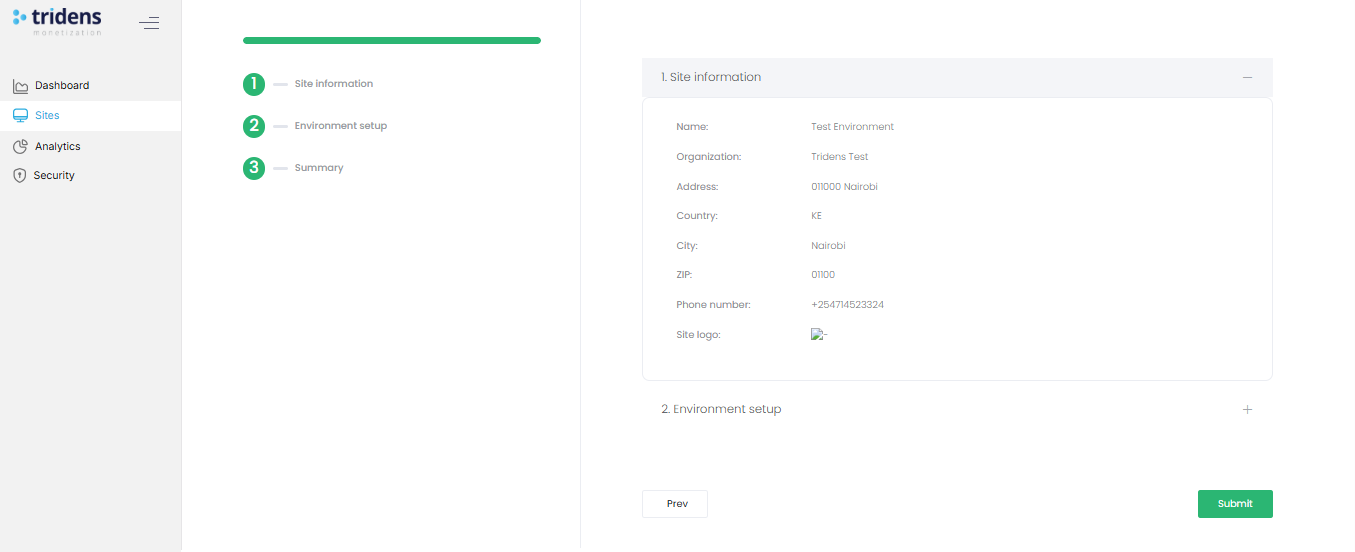 Figure 3: Summary page
- Confirm Site Information and Environment Setup.
- Expand sections to verify your settings.
- Click Submit to save.
Permissions
Only users with proper billing/admin roles can modify Payment Strategies.
Best Practices
- Use Sandbox mode to test strategies before going live.
- Document strategy names for consistent API use.
- Coordinate with development teams for custom payment flows.


