Plan
Topics in this document:
To access this section, from the EV Charge - Mobile App, click Plan.
The customer’s plan
The plan that the customer is subscribed to is shown.
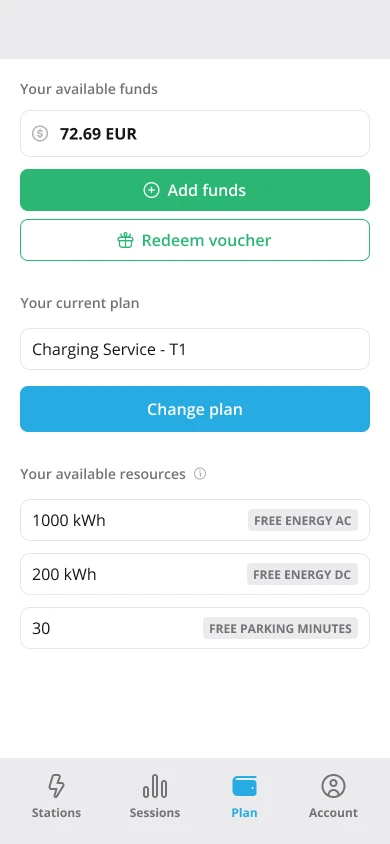
Figure 1: The customer’s plan
It is divided into two sections:
- The actual plan
- Active add-ons
The active add-ons are bundles that are active on the customer which are not the EV-charging service itself - such as discounts, special rates, monthly fees, etc.
Information:
Plans are created in Monetization. To learn how they are configured, see Plans.Also, from Figure 1, the customer can see their funds.
Information:
To fund the customer account, see Adding funds to the customer account.Adding funds to the customer account
Funds can be added to the customer’s account from the EV Charge - Mobile App using a credit card or a voucher code.
Using a credit card
If a credit card has been inputted into the customer’s account, they can fund it with the credit card. To achieve this, from Figure 1 [the customer’s plan], click Funds.
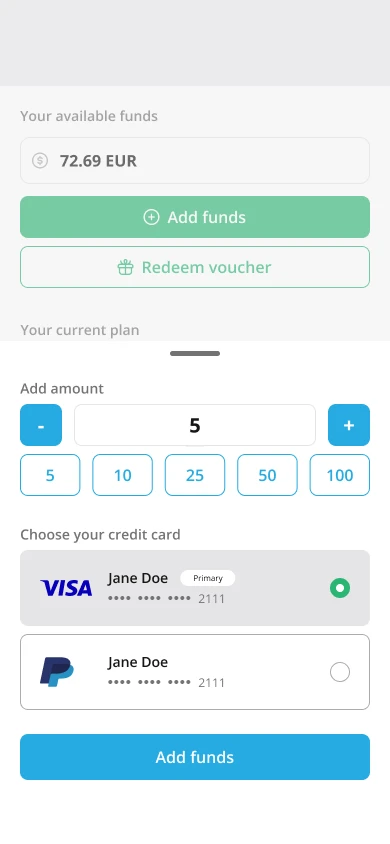
Figure 2: Funding account with a credit card
Choose the amount and click Pay. This will collect the amount from the customer’s credit card and successfully top up their account with the amount specified.
Note:
Only a customer with a prepaid payment type can fund their account using a credit card.Information:
To add a credit card in the EV Charge - Mobile App, see Adding a credit card.Using a voucher code
The customer can fund their account through a voucher code. To achieve this, from Figure 2 [funding account with a credit card], click Do you have a voucher?
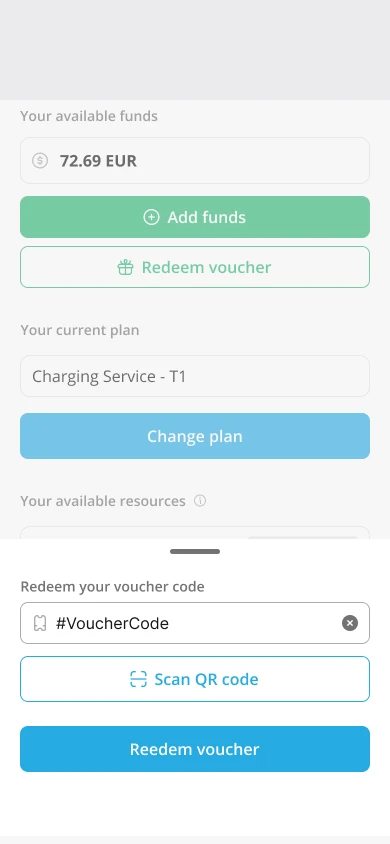
Figure 3: Funding account using a voucher code
Insert the voucher code, and click Continue. The voucher code can be used to fund the customer’s account as well as grant the customer a discount or some free resources. For more information, see Voucher.
Note:
Funds can be added using a voucher to the customer’s account, irrespective of the payment type.Tip:
Using a voucher code to fund a customer account is very popular for those from regions where the major payment providers are not supported.
For instance, suppose you have a web store or a kiosk where you can sell vouchers; you can create vouchers in Monetization and export the codes. The exported voucher codes can then be sold to your end consumers in your kiosk or web store.
Therefore, this will enable your customers to get money into their accounts without a credit card.


